Browse all guides
Getting Started
QuickstartSetting up your boardsSetting up your ribbonsThe ArenaSetting up your Brand KitMenu overviewEditing
The editor panelEditing the canvasEditing the sourceEditing the timelineCreating previewsExporting your videoKeyboard shortcutsCollections
Adding your roster (CSV)Linking a collectionAccount
Inviting team membersChanging your planEditing
Keyboard shortcuts
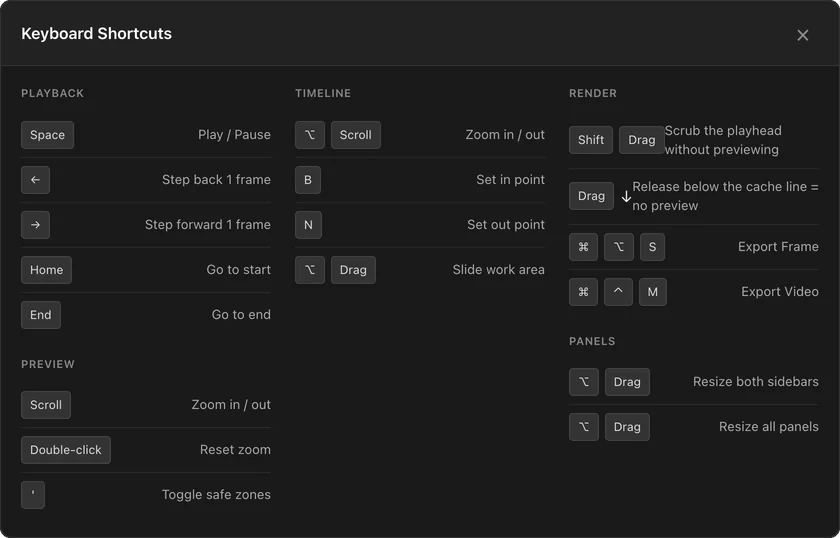
The editor lists its keyboard shortcuts for you. Here is where to find them.
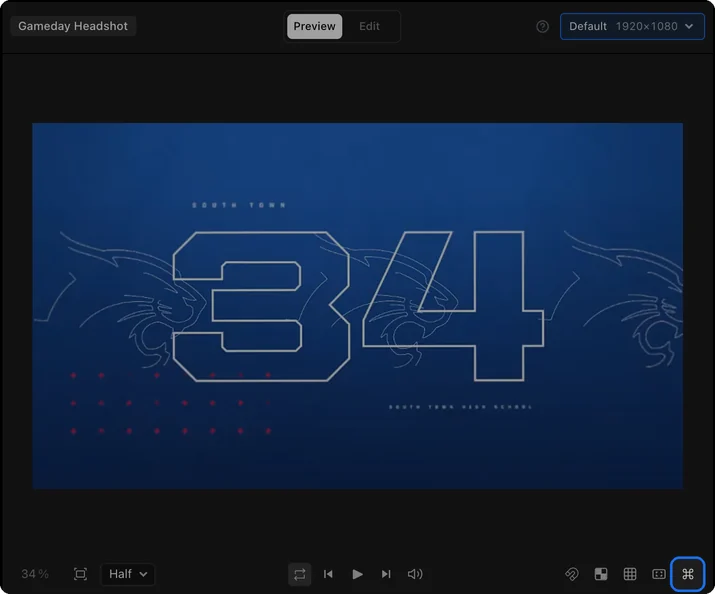
The editor lists its keyboard shortcuts for you. Click the Keyboard shortcuts button (⌘) on the right of the controls under the viewer to open the list. Click the X or outside the list, or press Escape, to close it.
The shortcuts
The list covers playback, previews, the timeline and work area, export, and resizing panels.