
Browse all guides
The Arena
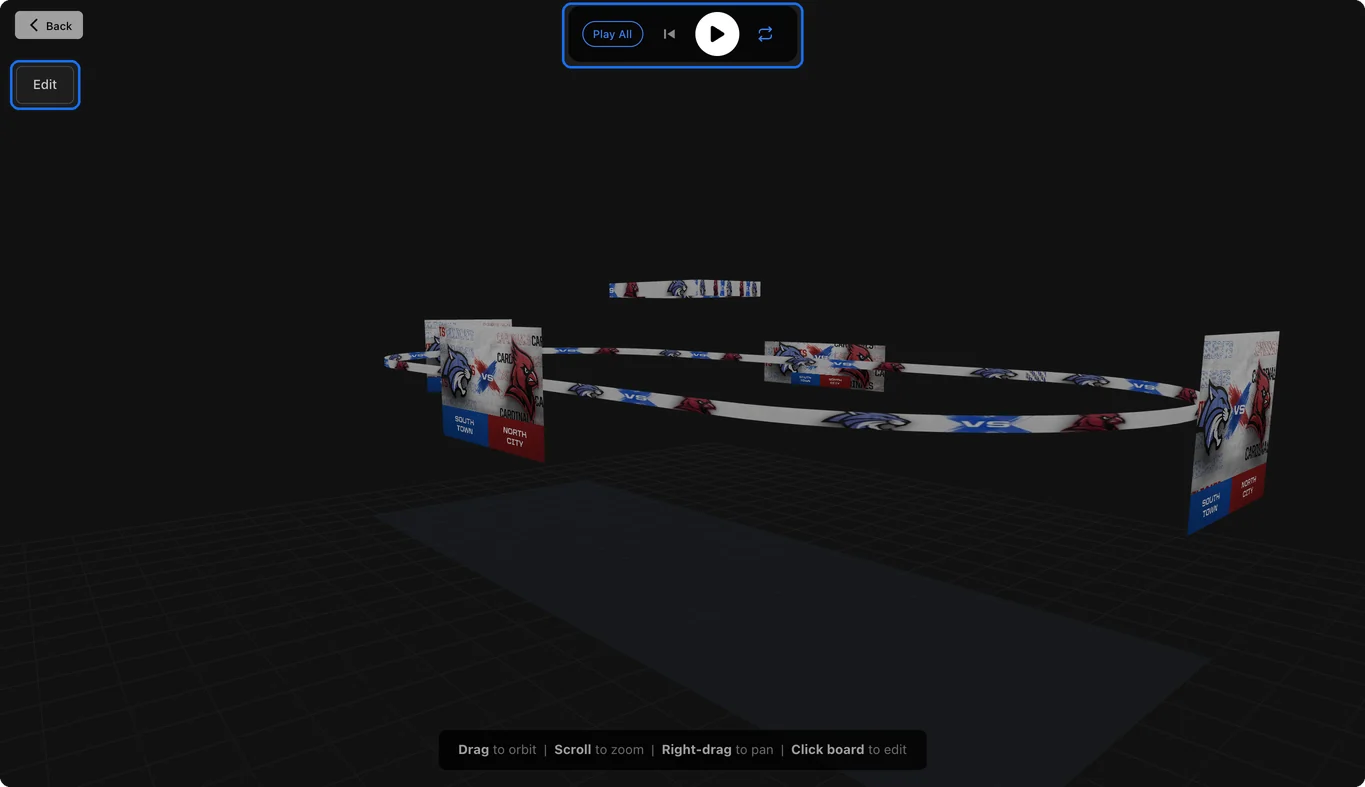
See your boards and ribbons in a 3D view of your venue, each playing your latest video.
The Arena shows your boards and ribbons in a 3D view of your venue, each one playing your latest video at its size. It's a great way to show your team or organization what a video looks like in the building.
Open the Arena
Click Arena at the bottom of the left menu. Every board and ribbon you've set up gets a spot, placed by its Position and Level from Boards and Ribbons.
Look around
- Drag to orbit, scroll to zoom, and right-drag to pan.
- With Play All on (it starts on), the play button plays every board together. Click a board to control just that one.
- Edit lists your boards and ribbons.
Change what plays
Each board plays your newest video at its size. If two boards share a size, only the first one is filled for you, so pick what plays on the second. Click a board to pick what plays on it: one of your renders, or a video you upload. You can also change its position and level there, and those changes save on their own.