How to Run a Shuffle Game on Your Video Board
A shuffle game is a video board game where a ball hides under one of three cups, caps or helmets, they shuffle, and the crowd cheers for the one they think the ball is under. It’s one of the easiest games to run at a college or high school game. Anyone can follow it from any seat, it needs nothing but the board, and it fits in a timeout.
This guide covers what a shuffle game is, how to run one during a timeout, how long it should be, and how to make one in your own colors with the Shuffle Game in SportStudio.
What is a shuffle game?
You might know it as the shell game, the cup shuffle, the hat shuffle or the helmet shuffle. It’s the same game on a bigger screen, and it plays out the same way every time:
- A ball drops under one of three cups.
- The cups settle into place.
- The cups shuffle, faster and faster.
- The board asks WHICH ONE IS IT? The cups are labelled A, B and C, and each one lights up in turn while the crowd cheers for the one they picked.
- The reveal settles it.
It works because everyone gets to play. There’s no prize table or microphone and nobody has to come down to the floor. Every fan picks a letter, the cheers for A, B and C tell the whole building where everyone else landed, and the right side gets to celebrate at the reveal.
One game, every sport
The same game fits every sport on your schedule. Pick the sport, and the floor and the ball change with it. Football switches to helmets, and caps or stadium cups work for the rest.
- Baseball and softball: a ball on the dirt.
- Football: helmets on the grass, with a football under one of them.
- Hockey: a puck hidden on the ice.
- Basketball and volleyball: a ball on the gym floor.
- Soccer: a ball on the grass.
You can also hide a tennis ball, or a gold coin with your logo on it. Pick your sport in the Shuffle Game.
How to run a shuffle game during a timeout
Pick the right break. A full timeout, the break between innings or periods, or a media timeout all work. Late in a close game, skip it and run a crowd prompt instead. The crowd should be watching the floor.
Have it loaded before the whistle. A shuffle game only works if it starts the moment the break does. Keep it cued and ready, so the board isn’t dark while you look for the file.
Give the PA a line. A quick “Keep your eye on the ball!” at the start tells the crowd to look up. Then let the shuffle play without talking over it, so the vote and the reveal get the noise.
Let each letter get its cheer. The vote is the best part. When A, B and C light up one at a time, give each one its moment, and a “Let’s hear it for A!” from the PA gets the whole building picking a side.
End before play starts again. Pick a length that fits the break, so the reveal never gets cut off by the restart.
How long should a shuffle game be?
About 30 seconds is the sweet spot. That leaves time for the shuffle and a cheer for each cup before the reveal, and it fits a full timeout. You can pick a length from 10 to 60 seconds:
- 10 seconds for a quick stoppage. It’s too short for the vote, so it ends with a quick 3, 2, 1 countdown before the reveal.
- 30 seconds, the default, for a full timeout.
- 45 to 60 seconds for a long break or halftime.
The A, B, C vote runs at 20 seconds and up. It’s on by default, and if you’d rather skip it, turn it off and the game counts down 3, 2, 1 instead.
How hard it is to follow is a separate choice. Difficulty runs from Easy to Insane, and each level feels the same at any length. Go easy early in the night or for a young crowd, and save the hard ones for late, when the student section wants a challenge.
How to make a shuffle game in your team colors
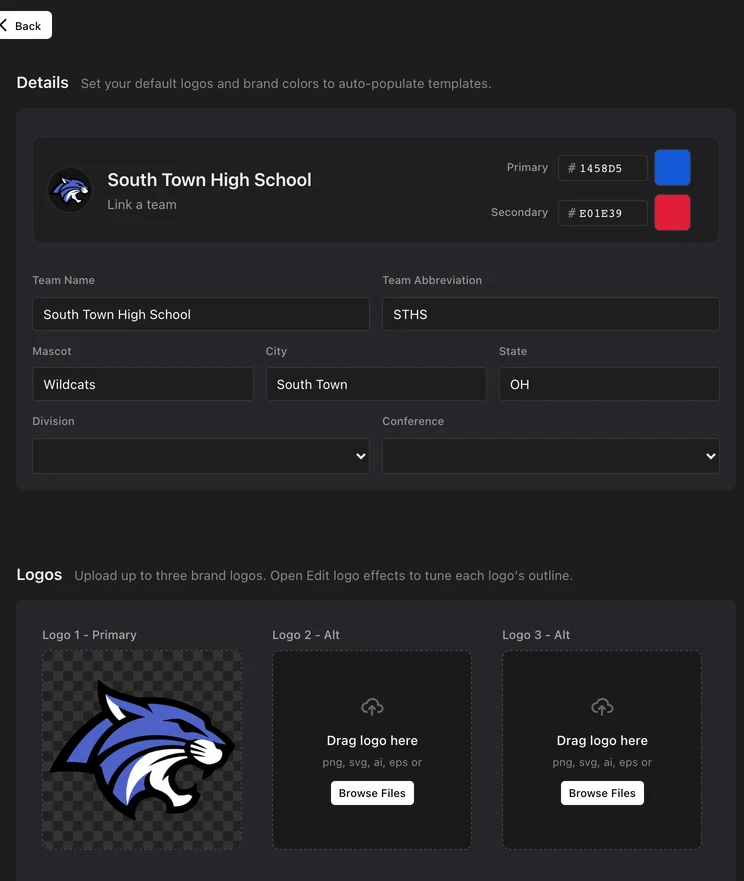
The Shuffle Game starts from your brand kit, so your logo and colors fill in on their own. You change the rest in the editor, and the preview updates as you go.
Pick the cups. Your logo goes on every cap, stadium cup or football helmet, and you choose which colors they wear.
Use your own background. Keep the team gradient, or drop in a photo of your own court, field or arena behind the cups.
Write your own lines. The intro, the vote and the reveal are all text you can change, so the board can say what your PA says.
Make a new one every game. Each version shuffles differently, so the regulars can’t learn the pattern.
Add a sponsor. There’s a spot for a sponsor logo and a sponsor line, so the game can be a sponsored moment. Your sponsors live in one place in SportStudio, with the sponsor editor.
Sound included. Music and a crowd cheer are built in, and you can turn either one off if your PA has its own.
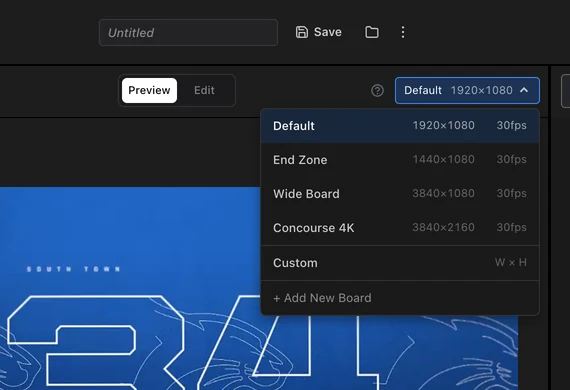
When it looks right, export it at your board’s size, from widescreen to square.
Running a ribbon board too? SportStudio makes ribbon content to match your main board, so the whole building looks like one show.
Which game to run when
The shuffle game is the one to start with. Once the crowd knows it, mix in the other Fan Engagement games so the season stays fresh:
- Timeouts: the Shuffle Game, or the Race Game, where fans pick a racer and it comes down to a photo finish. Neither needs any reading, and a 10 second shuffle covers even a quick stoppage.
- Longer break or halftime: the Trivia Game, up to five questions about your school, or the Guessing Game, where a player or logo fills in over a countdown.
- Close game, late: a crowd prompt instead of a game.
Questions and answers
What is a jumbotron shuffle game?
A jumbotron shuffle game is a video board game where a ball hides under one of three cups, caps or helmets, they shuffle, and the crowd cheers for the one they think the ball is under as A, B and C light up in turn. It’s also called the shell game or the cup shuffle.
How long should a shuffle game be on the video board?
About 30 seconds, which leaves time for the shuffle, a cheer for each cup and the reveal, and fits a full timeout. A 10 second version works for a quick stoppage, and 45 to 60 seconds suits a long break or halftime.
When should you run a shuffle game during a game?
During a full timeout, between innings or periods, or in a media break. Late in a close game, run a crowd prompt instead so the crowd stays on the action.
Can I put my team logo on the cups or hats?
Yes. In SportStudio’s Shuffle Game your logo goes on every cap, cup or helmet, and the game uses your team colors from your brand kit.
Does the shuffle game work for football, hockey or basketball?
Yes. Pick the sport and the floor and ball follow: helmets and a football on the grass, a puck on the ice, a basketball on the gym floor, a baseball on the dirt.
Is the shuffle different every time?
Yes. Each version you make shuffles differently, so fans who see it every game can’t learn the pattern.
Can a sponsor present the shuffle game?
Yes. The Shuffle Game has a spot for a sponsor logo and a sponsor line, so it can run as a sponsored moment.
Do I need a designer or animation software to make one?
No. You set it up in your browser, the preview updates as you go, and SportStudio renders the video for you.
What other games can you play on a video board?
Races, trivia and guessing games all work well, along with crowd prompts like “make some noise”. SportStudio’s Fan Engagement games include a race, trivia and a guessing game alongside the Shuffle Game.
Will a shuffle game fit my video board?
Yes. It exports at your board’s size, from widescreen to square.