
Introducing Arena Preview in 3D
Coming soon. Arena preview isn’t available yet. This post describes how it will work.
A graphic that looks great on a laptop can fall apart on a ribbon 40 feet up. Text gets too small. A logo sits where a scoreboard blocks it. The ribbon and the main board fight each other. You usually find out at the first home game.
Arena Preview catches that earlier. It’s a 3D arena in your browser, with your own boards and ribbons in place, playing your own content.
Build your venue from your boards
Arena Preview uses the boards and ribbons you’ve saved. Three extra settings on each one place it in the arena:
- Type: a board on the wall, a ribbon, a center-hung board, or a center-hung ribbon.
- Position: for a board, left end, right end, near side or far side. Ribbons can run the full perimeter, the sidelines only, or the endlines only.
- Level: 1 through 5, which sets how high it hangs.
It’s a general arena bowl, not a scan of your building. Set the right sizes, positions and heights, and you get a good read on how your displays work together.
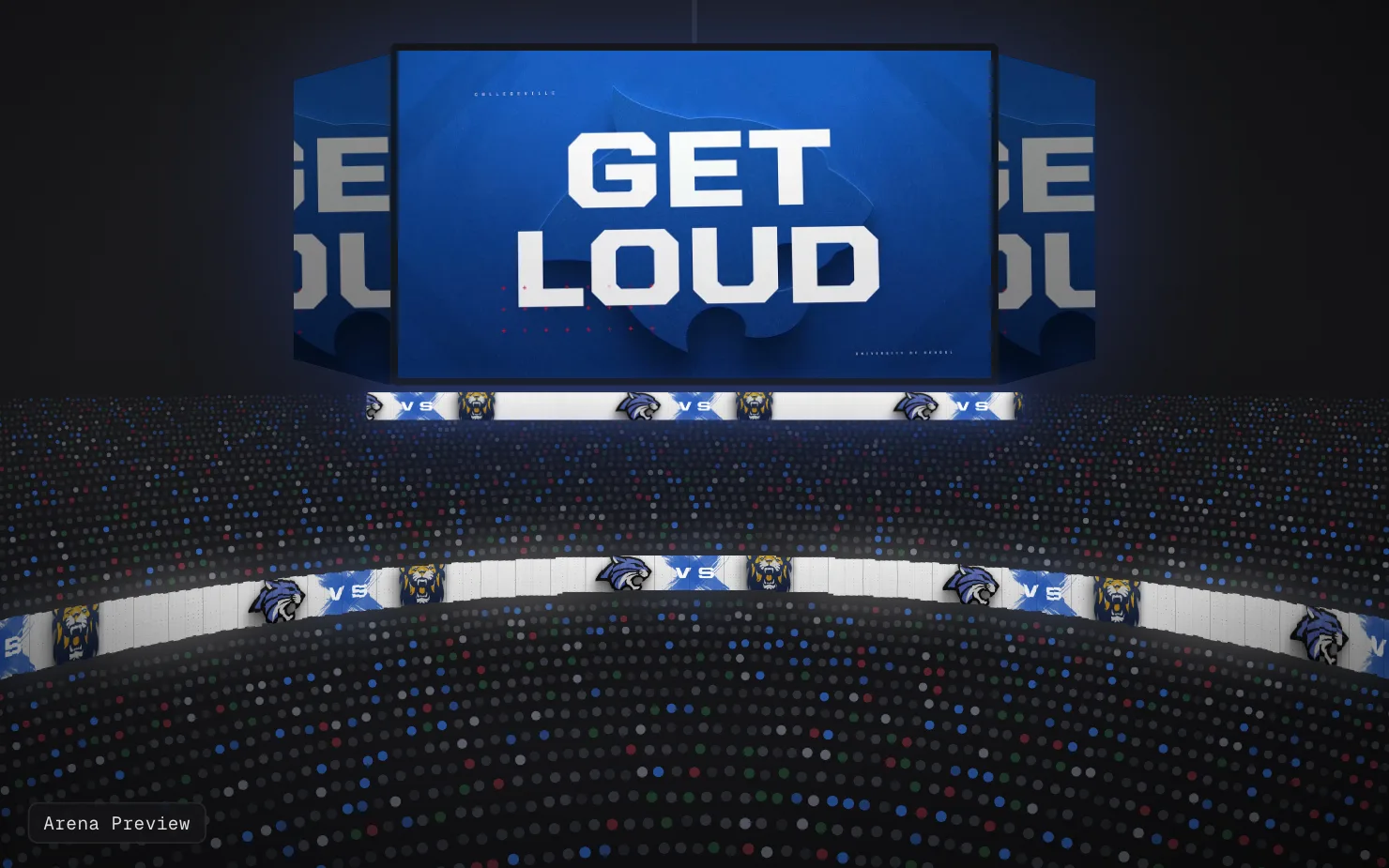
Put your renders on the boards
Click any board in the 3D view to choose what plays on it. The content panel lists your renders. By default it shows only the ones that match that board’s resolution, so a ribbon render stays off your 16:9 board. Switch the filter to All Resolutions to see everything. You can also drag in a video file from outside SportStudio.
Videos play on the boards, and Play All runs every display at once. For ribbons, SportStudio works out how many times your content repeats around the ribbon. Change the tile count to make it bigger or smaller. Empty boards show a placeholder in your Brand Kit colors and logo.
Drag to orbit, scroll to zoom, right-drag to pan. Hide the floor for a cleaner view from below.
What it’s good for
Its main job: catching layout problems before you render the final version. Is the player name readable from the upper deck? Does the matchup on the ribbon line up with the one on the main board? Is the ribbon repeating too many times to read?
It’s also a clear way to show an athletic director or a sponsor what they’re getting. For now, you walk them through it on your screen.
Sharing is coming
We’re building shareable links, so you can send a sponsor or administrator a preview they open without a SportStudio account. That isn’t live yet. We’ll post here when it is.
Arena is in the left menu of your dashboard. Before you open it, give your boards a type, position and level. The boards guide covers where those settings live.