
Introducing Template Variations
One template rarely covers every game. The full version is right for the season opener. A quieter one fits a mid-week game. A sponsor-presented moment needs room for the partner. Until now, a different version meant a different template, or a trip back to After Effects to rebuild it.
Variations fix that. A template can now come with more than one version, and you switch between them in the editor.
Same content, different build
A variation keeps your content and changes the build around it. Your text, logos and colors carry over. The layout and motion change.
What the versions are depends on the template. A few you’ll see:
- Default is the full layout and motion as designed.
- Sponsor swaps the standard content for a sponsor logo lockup, made for partner-presented moments.
- Minimal strips back to the essentials for a quieter feel.
- One Line and Two Line change how text sits. One line is cleaner and more compact. Two lines give longer names and titles more room.
Templates with more than one version show a variation count on their card in the template library.
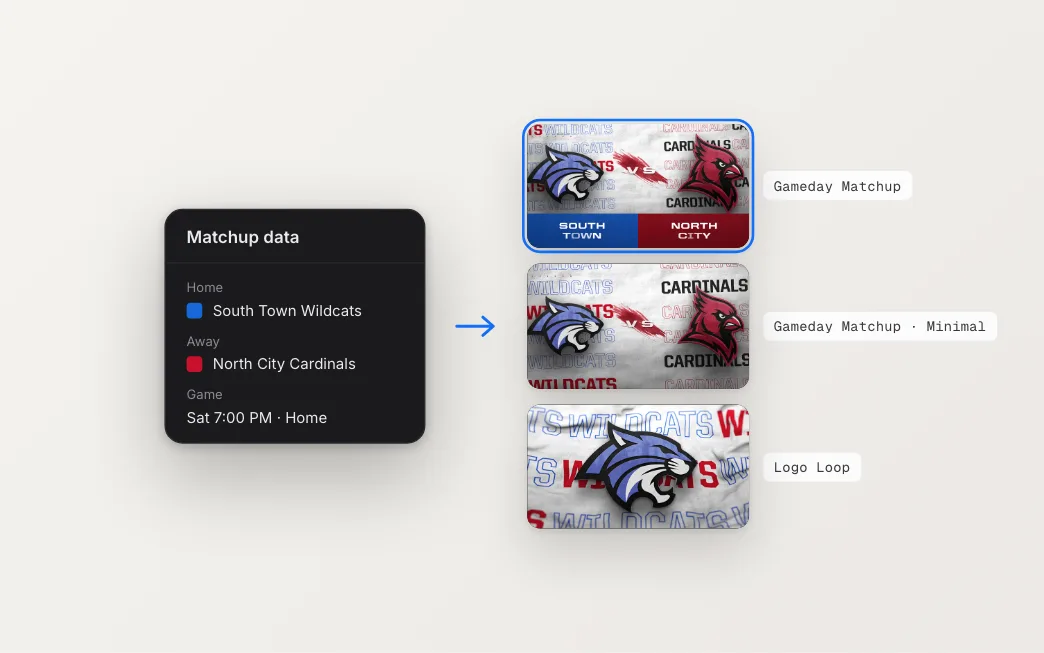
Switching in the editor
The Variation dropdown lives in the Scene section of the sidebar. Set it in the Global view and the whole template switches at once. A template can be built from several sections, so you can also open one section and give it its own variation while the rest stay put.
Pick a variation and the preview re-renders with your content in that version. Your choice saves with the rest of your edits, so it’s still there when you come back.
Preview before you open it
You don’t have to open a template to see its versions. On each template’s page, there’s a Variations strip under the main player. Hover a card to scrub through that version. Click it to play it in the main player, with a short note on what that version is for.
Behind the scenes
Each version lives inside the template, side by side, and shares the same editable content. A tag in After Effects tells SportStudio which parts are alternates, and only one of them is visible at render time. That’s why your edits carry over when you switch. There’s nothing to copy between versions, because it’s the same content underneath.
It also changes how we build. A new version of a template is now a design job on our end, not a new template you have to find, set up and fill in again.
Browse the template library and look for the Variations strip on each template’s page.