
Custom Resolutions for Every Board
No two venues have the same video board. One arena’s main board is 1920 x 1080. The end zone board is narrower. The high school gym down the road has something close to square. Content made for one board gets stretched or cropped on the next, and someone ends up rebuilding it in After Effects.
Custom Resolutions lets you enter your board’s exact dimensions and have every template fit it.
Save your boards once
Open the Boards section of your dashboard. You start with a default board and can add as many as your building needs. For each one, set:
- Name, so you can tell your boards apart.
- Width, height and frame rate, like 3840 x 2160 at 30 fps for a 4K board.
- Set as default, if you want it picked automatically when you open a template.
Your saved boards then show up as options while you edit. Nobody on your team has to remember or retype dimensions.
Templates reflow, they don’t stretch
Changing the size of a video is easy. Changing it well is the hard part. Put a 16:9 graphic on a square board and either it squashes or part of it falls off the edge.
So we build every template to reflow. Each one is designed at a standard HD size, with its layout rigged to move and scale as the frame changes shape. Pick a narrower board and the layout adjusts to the space. Pick a wider one and it spreads out. Nothing gets stretched, and you don’t have to crop around the result.
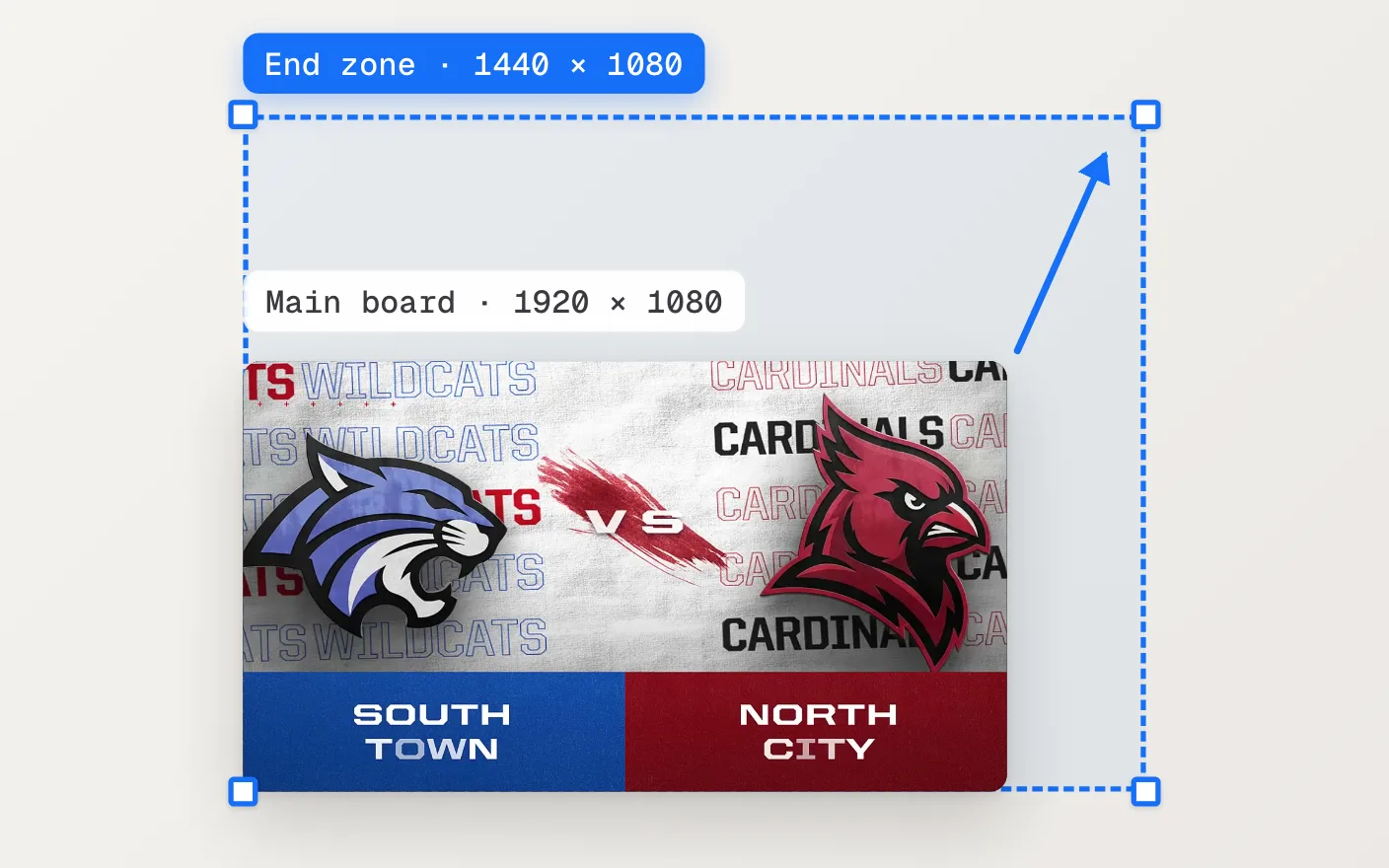
It works for any board that’s square or wider, like 1080 x 1080, 1920 x 1080 or 3840 x 600. Vertical (portrait) boards aren’t supported.
One template, every board
Because the size is a setting and not part of the design, one template covers your whole building. Customize a matchup once, then pick the next board in the editor and render again for the end zone, or anywhere else it needs to run. Your text, colors and logos stay as you set them.
Set the frame rate for each board, too. Every render comes out at the size and frame rate that board expects, so it plays cleanly on the display it was made for.
The boards guide shows where these settings live, and the Video Boards page has more examples.