
Headshots for the Whole Roster
Player headshot graphics are the content every program wants and nobody wants to build. A full roster means a clean cutout, a name, a number and a position for every player, all lined up the same way. By hand, that’s a weekend in Photoshop and After Effects. Then a transfer shows up in week two.
Headshot Batch Rendering takes the roster you already have and turns it into a finished player intro for everyone on it.
Bring in the roster
Create a new collection and start from the Headshots template. It comes with the fields a player graphic needs: first and last name, number, headshot and position, plus optional height, weight and year.
Then import your roster as a CSV. One row per player, a column for each detail, and a column of headshot image URLs if you have them. SportStudio previews the first few rows so you can check it read the file right, then matches your column names to its fields. Close is good enough. Fix any that don’t line up, and choose whether to replace the existing rows or add to them.
Backgrounds come off on their own
This used to be the slow part. Roster photos come from everywhere, with different backdrops, lighting and crops. A player graphic needs a clean cutout.
When your CSV includes headshot URLs, SportStudio fetches each photo after the import and removes the background while you keep working. The cutouts replace the original photos in your collection. Headshots that are already cut out get skipped, so running it again never redoes work. If some photos still need it later, the Process Headshots button handles only those.
Adding a player mid-season works the same way. Upload a photo into their headshot field and the background comes off as it uploads.
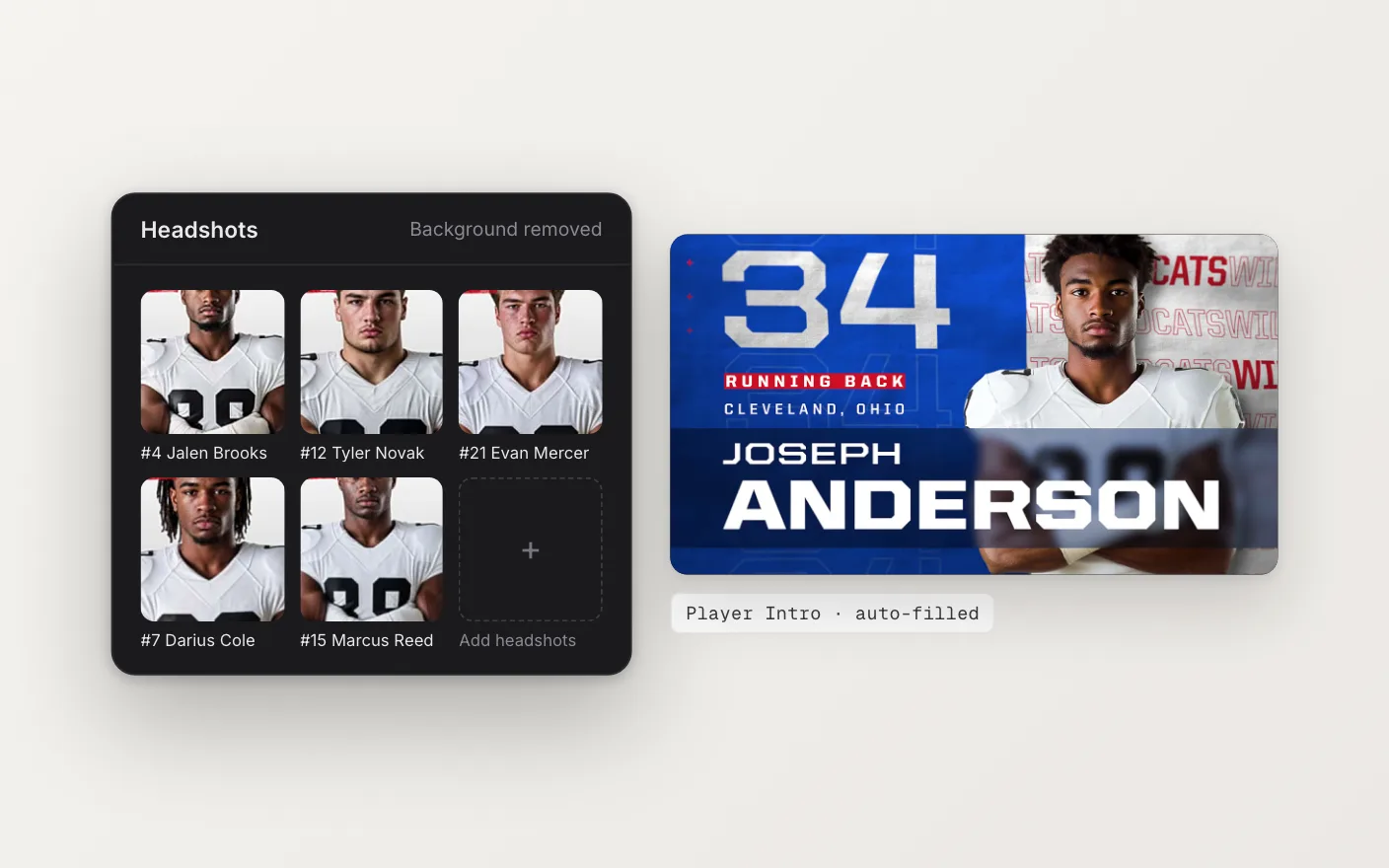
One intro per player
Link the collection to a headshot template. Names, numbers, positions and cutouts drop into place, and your Brand Kit handles the team colors, logo and fonts. Pick a player from the Preview dropdown to check the layout, then select the whole roster and render. Each player comes out as their own video file.
When the roster changes, edit one row and re-render one player. The rest of the set stays as it is.
The same player on every screen
Because the headshots live in a collection, they aren’t tied to one design. The same roster can fill an intro on your main board and a headshot loop on your ribbon, and every version uses the same cutout. That kind of consistency is hard to keep up when each graphic is built by hand.
See the Headshots page, or start with the roster import guide.