
The Team and Logo Library
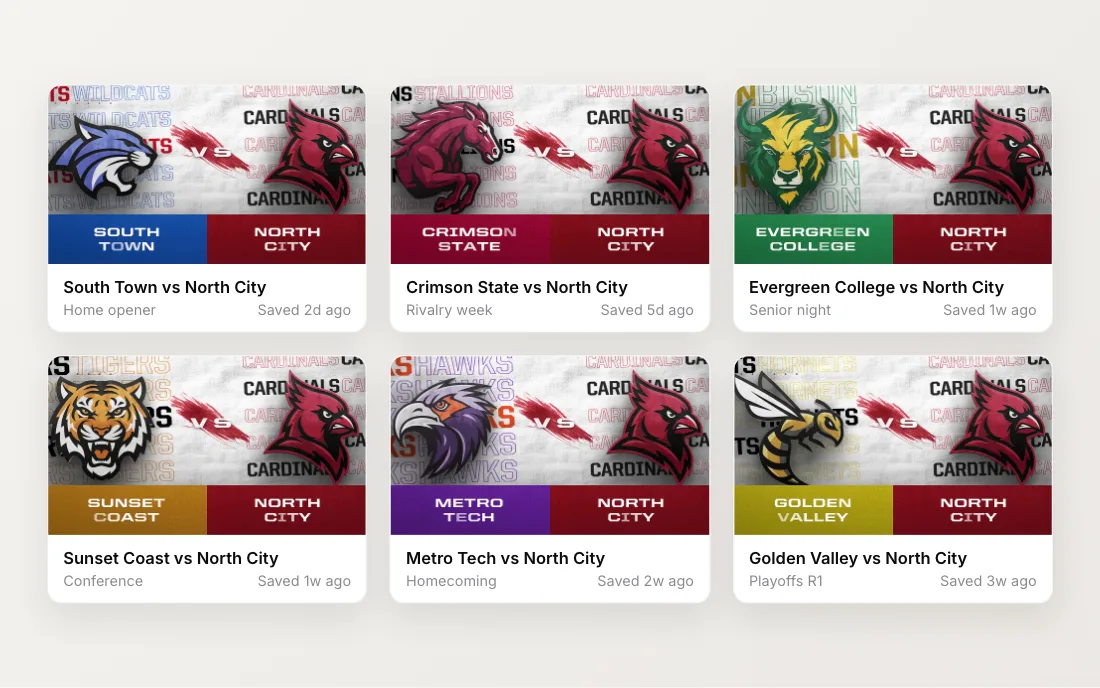
A matchup graphic has two teams. Your side was already easy, thanks to the Brand Kit. The other side was the weekly chore: find the opponent’s athletics site, dig out a logo that’s usually too small or sitting on a white box, and eyedrop their colors from a screenshot. Then do it again next week.
The team library takes that off your plate. Opponents are already in it.
Search instead of hunting
The library covers college teams across NCAA Divisions I, II and III and the NAIA. Search by school, team name or mascot from the asset picker. You can also narrow it by division, then by conference.
If your Brand Kit knows your division and conference, the picker opens already filtered to your conference. Your conference opponents are right there without typing a thing. Pick All conferences to widen it back out.
Each team comes with its name, its primary and secondary colors, and its logos.
Home and away in one click
In a matchup template, pick a team and choose Set as Away Team (or Set as Home Team). The name, logo and colors fill into that side’s fields in one step. The top of the editor shows the matchup as a home vs away card, so you always know who’s on which side.
Both sides work the same way. That matters when you host a tournament and most games don’t include your team at all. Pick any two teams from the library, build the bracket in one sitting, and render each round as teams advance.
Link your Brand Kit to your school
If you’re a college program, your own school is in the library too. In your Brand Kit, choose Link a team, search for your school and pick it. Its school details, colors and logos pull into your kit, so setup takes a few seconds instead of a few uploads.
Logos that hold up on a big screen
A logo that looks fine on a phone can fall apart on a big video board. So we built the library school by school, and we went after vector logos wherever we could find them. A vector stays sharp at any size.
When you drop a library logo into a template, the logo field tells you what you’ve got. A vector says so. If the best version we have is a raster image, the field says that too, and invites you to add a sharper version if you have one.
Collecting clean logos turned out to be the slow part of this project. Plenty of schools only publish a small PNG, and many have more than one version of their logo in use.
See how matchups come together on the Matchups feature page.