
Ribbon Content That Fits Any Length
Coming soon. Ribbon boards aren’t available yet. This post describes how they will work.
A ribbon template can’t be drawn at one size and stretched. A graphic that looks right on a long, thin ribbon gets squashed on a shorter, taller one. So instead of one fixed layout, ribbon templates are built from a repeating tile, and SportStudio decides how that tile fills your board. Here’s how that math works.
Height sets the tile, width sets the count
Every ribbon template starts from one designed tile. When you pick your ribbon, SportStudio scales that tile to fill your ribbon’s height, then counts how many whole tiles fit across the width.
That means the shape of your ribbon matters more than its raw size. A very long, short ribbon fits a lot of tiles. A shorter, taller ribbon fits fewer, bigger ones. You never get half a tile hanging off the end of the board.
In the editor you work on a single tile, labeled Base. Below it, the Output preview shows that tile repeated at your ribbon’s real proportions, with the tile count and number of breakpoints next to it. Change the ribbon and the preview updates.
Splitting the count across sections
Breakpoints mark the parts of a ribbon where content shouldn’t land: a tunnel, a scoreboard, a pillar. Each one is a gap. The stretches of LED between the gaps become sections.
SportStudio doesn’t just drop the same number of tiles into each section. It divides the total by width, so a long section gets more tiles and a short one gets fewer. When the split doesn’t come out even, the leftover tiles go to the sections closest to earning one, so the sections still add up to the full count.
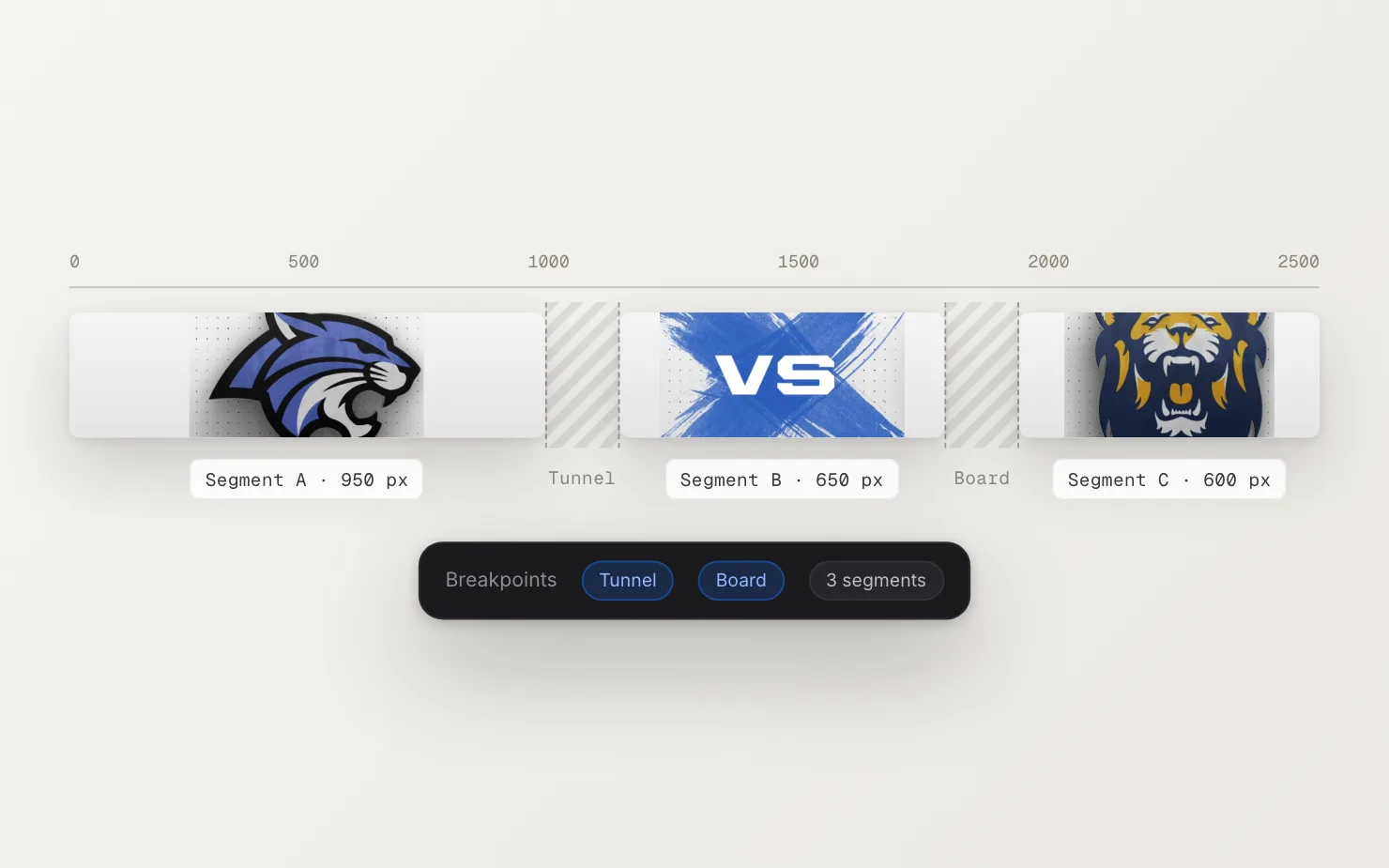
Once your ribbon has breakpoints, the sidebar lists every section in its own color, with its pixel range and a recommended tile count. You can override any section’s count by hand. A reset button puts it back to the recommendation.
The background runs straight through
There’s one layer that ignores breakpoints on purpose: the background. It tiles across the full length of the ribbon on its own count. The logos and text respect the gaps, while the background keeps the whole board looking like one piece.
A limit we worked around
After Effects’ tiling effect starts cutting off content once a single run gets too many copies. On a long ribbon, one section can easily need more than that. So behind the scenes, we split any long section into shorter runs before the render. It happens automatically, and the tile count you set stays the same.
See more on the Ribbon Boards feature page.