
Introducing Ribbon Boards
Coming soon. Ribbon boards aren’t available yet. This post describes how they will work.
Ribbon boards are the hardest display in the building to make content for. They’re long, they’re short, and no two venues have the same one. One gym runs 2500 x 250. The arena down the road runs 15,000 pixels wide and 100 tall. Content built for one almost never fits the other.
We’ve spent many hours in After Effects rebuilding ribbon graphics by hand for different venues. Ribbon Boards is our answer. You get the same SportStudio editor you use for your main board, pointed at your ribbon.
Set your ribbon size once
Ribbons work like Boards. Open the Ribbons section of your dashboard, enter your ribbon’s width, height and frame rate, and save it. From then on, pick it from a dropdown while you edit. The template resizes to those exact pixel dimensions.
Each ribbon template uses a repeating tile. SportStudio works out how many tiles fit across your ribbon and shows that as the recommended count. Want the content bigger or tighter? Change the tile count, or use the Ribbon Scale slider to size the content inside each tile. Reset takes you back to the recommendation.
Breakpoints for tunnels, scoreboards and corners
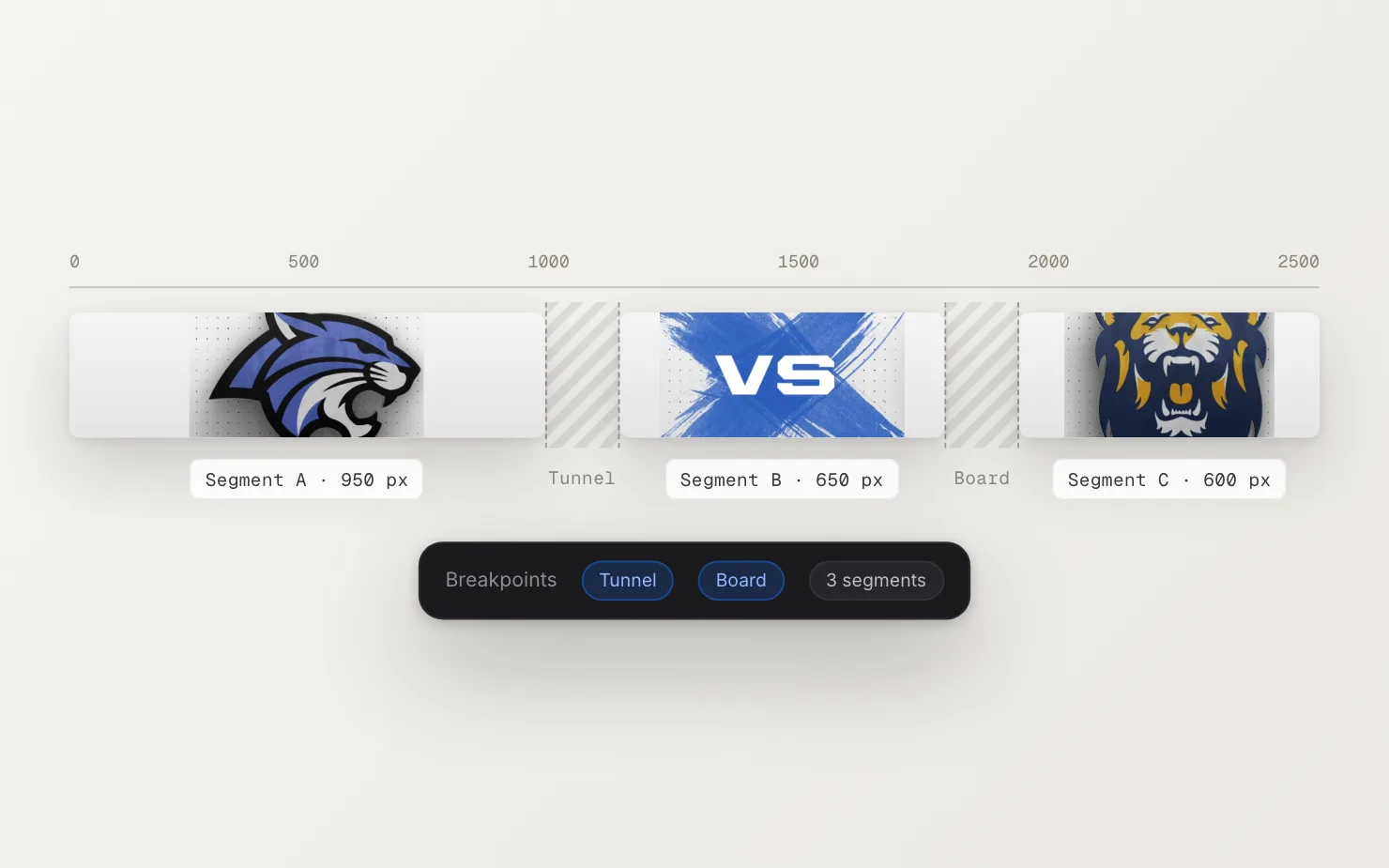
Most ribbons aren’t one clean strip. There’s a tunnel entrance, a scoreboard, a section of fascia that isn’t LED. If you ignore that, half a logo ends up hidden behind a pillar.
Add breakpoints in your ribbon settings. Each one is a gap with a start position and a width, in pixels. Drag the edges on a layout preview until it matches your building. SportStudio splits the ribbon into segments around those gaps and spreads the tiles across them. Your content lands on the parts of the board people can see.
Loops that don’t jump
Ribbon content often runs for a whole quarter or half, so fans notice a hard cut every ten seconds. Every ribbon template comes with its loop point in place. The last frame hands off to the first, so the board plays as one smooth loop, with no blank frames or jumps.
Your Brand Kit comes with it
Ribbon templates read your Brand Kit the same way board templates do. They pull in your team colors and logos when you open the template, so your ribbon and main board match with no extra setup.
Ribbon templates and the ribbon editor are coming soon.
See how it works and browse the ribbon templates on the Ribbon Boards feature page.